Executive operations / Voice AI / Specialist agents
What if you could talk to your own tools?
NEXUS turns a spoken instruction into live intelligence, specialist analysis, or visible approval-gated action across the tools I have built. It is live on my own infrastructure and connects only to my own accounts and data; no employer system or data is involved.
A working executive operating system that listens to the mission, asks for the missing context, routes the work to the right agent or tool, and returns evidence-backed results. See how it works
- Status
- Working
- Interface
- Realtime voice over WebRTC, one command layer
- Agents
- Financial Analyst and Executive Analyst, plus Marketing and Communications front doors
- Operates
- Marketing Strategy, Notice Writer, Translator
- Channels
- Desktop now · mobile web coming soon · Telegram planned
- Access
- Private, no public link. Walkthrough on request
NEXUS command layer
Executive sessionNEXUS
Command layer
One voice interface above the systems already in place.
Read
- Morning Brief
- Spend Tracker
- WHOOP
Analyse
- Financial Analyst
- Executive Analyst
- Marketing Analyst
- Communications Analyst
Operate
- Marketing Strategy
- Notice Writer
- Translator
- Finance TeamSupported
- Working
Deployed, connected and working now. Included in the smoke test.
- Supported
Present in the product, but not the primary demonstrated path.
- Coming soon
Designed and scoped. Not built. Nothing on this page runs on it.
- Planned
Direction only. No implementation behind it yet.
Every capability on this page is in one of these four states. A working one is marked by its LED alone; the other three are always written out in words, so nothing scoped is described as working.
01 · Premise
The interface to work is changing.
Today, executive work is fragmented across messages, dashboards, reports, forms, documents and specialist applications. Each system has its own interface, its own requirements and its own workflow.
NEXUS explores a different model: describe the outcome once, then let an intelligent command layer coordinate the right people, agents, evidence and systems.
Sometimes the result is an answer grounded in live data. Sometimes it is a decision brief built by specialist agents. Sometimes it is a prepared operation waiting for approval. The executive does not disappear from any of them.
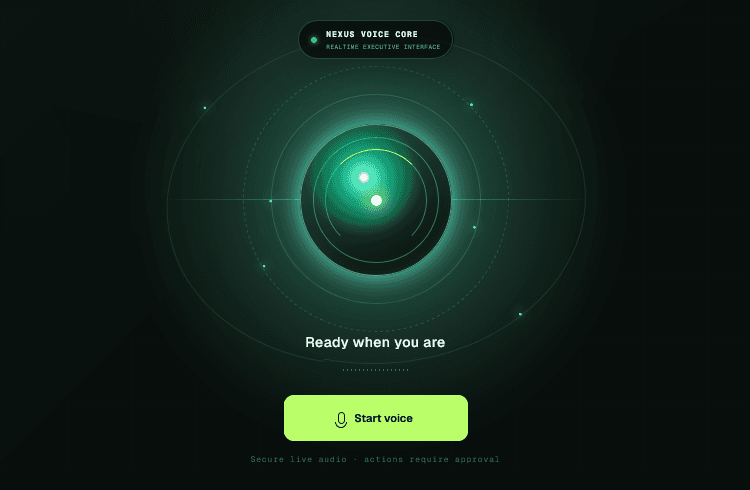
From navigating software to directing outcomes.
Mission types
Not every mission is a form to fill.
A voice assistant that treats every request the same way ends up forcing an approval step onto a question that never leaves the building. NEXUS separates three kinds of work, and routes on the difference.
- Read
Retrieve live executive context.
The Morning Brief from Notion, WHOOP recovery signals, or a figure read off the protected Spend Tracker dashboard. Nothing is written, nothing is submitted, and no approval step is involved because no external action occurs.
- Analyse
Route a private report through specialist agents.
A financial report goes to the Financial Analyst, then to the Executive Analyst. Evidence is carried from the source rows all the way through to the final recommendation, so every claim can be traced back to the row it came from.
- Operate
Prepare work inside one of my existing tools.
A secure cloud browser opens the real system, fills it visibly while the executive watches, and stops at the approval boundary. Preparing the work and performing the external action are two separate acts.
The operating model
No rip-and-replace.
NEXUS does not require every department to abandon its specialist tools. It creates an intelligent command layer above them. Deterministic schemas translate flexible human language into the exact values each destination expects: a spoken audience into the enumeration a form accepts, a spoken date into the format it validates.
One command layer, three execution paths
Routing- Executive voice
- NEXUS realtime command layer
01Read-only intelligence
- Notion Morning Brief
- WHOOP signals
- Spend Tracker via secure browser
Answer returned by voice. No approval step, because nothing leaves.
02Specialist analysis
- Durable queue
- Financial Analyst
- Executive Analyst
Decision brief, action plan and nine slides, with evidence attached.
03Controlled operation
- Browser operator
- Secure cloud browser
- Existing tool
Stops at the approval boundary. Nothing is submitted without the phrase.
02 · Operation
One instruction becomes a completed operation
Six stages between a spoken sentence and a finished piece of output. This is the Operate path: a read-only question skips straight to the answer, and a report analysis takes the specialist route instead. The executive is present for all six, and required for one.
- 01Speak
The executive describes the required outcome naturally: no tool selection, no form, no menu. Speech runs over WebRTC to a realtime model, so the reply lands in conversation time.
- 02Clarify
NEXUS identifies what is missing: dates, audiences, objectives, constraints, output requirements. It asks only for what it genuinely needs, and it asks before any work starts.
- 03Structure
The conversation becomes a validated operational brief. A schema turns a flexible sentence into an exact tool and exact field values, in the formats the destination system accepts.
- 04Operate
A secure cloud browser opens the real tool and completes the workflow the way a person would (scrolling, selecting, typing, waiting on the tool’s own pipelines) while the executive watches the session live.
- Open
- Fill
- Review
- Run
- 05Approve
Submission stays locked. Everything up to this point is preparation, and nothing has left the building. The executive reads the completed form, inspects the action trace, and can cancel or approve.
- 06Deliver
NEXUS collects the finished output (copy, documents, images, markup) and returns it to the command centre with copy and download controls, alongside the evidence of the run.
Human control
Autonomous where useful. Accountable where it matters.
NEXUS can interpret, prepare, navigate and complete the draft workflow autonomously. It cannot perform the final external action until the executive gives explicit approval.
That creates a clear boundary between AI assistance and accountable execution. The executive can review the form, watch the browser, inspect the action trace, cancel the operation, or approve it. NEXUS does not send communications, publish campaigns, move money or take unrestricted external action on its own.

- 01Visible operationThe remote browser session is embedded in the dashboard. The executive watches the tool being operated rather than reading a summary of it afterwards.
- 02Explicit approvalPreparing and submitting are separate acts. The external action waits for a clear execution phrase, “approve and run”, not a passing yes.
- 03Isolated executionBrowser control runs as its own deployed service behind an authenticated gateway. Operational credentials never reach the interface the executive is looking at.
- 04Preserved evidenceEvery operation keeps an action trace and full-page captures, including the moment a step fails, so a failure can be read rather than guessed at.
- 05Cancel without a refresh“Cancel operation” stops the operator job, closes the live window and clears the stale draft, so a different workflow can start immediately. The executive never has to reload the page to get out of a run.
- 06Read-only means read-onlyThe Spend Tracker path reads a dashboard and closes the session. It cannot reach the operator’s submission path at all, so there is no approval step to forget.
03 · Specialists
From financial report to decision brief.
Two specialists, in sequence, each with a job the other does not do. The first decides what the numbers actually say. The second decides what to do about it. Evidence travels from the source rows through to the recommendation, so nothing in the final brief is unattributable.
Specialist handoff
Two-agent workflow- Private report
- Financial Analyst
- Executive Analyst
- Decision brief + 9 slides
- Financial AnalystValidates the numbers
- Normalises the uploaded report before any judgement is made.
- Validates revenue, cost, margin, variance and material financial risk.
- Works from deterministic calculation and the supplied source only.
- Retains row-level source references on every finding.
- Reports in UAE dirhams in the demonstrated workflow.
- Executive AnalystTurns findings into a decision
- Receives the validated Financial Analyst output, not the raw file.
- Prioritises the findings that actually change a decision.
- Produces a summary, recommendations, owners, timing and an action plan.
- Builds a nine-slide, conclusion-led executive presentation.
- Invents no new calculations and no unsupported facts.
- Marketing AnalystOpens the marketing conversation
- Conversational front door for performance, opportunity and campaign decisions.
- Spoken only: the Marketing Team system handles the multi-agent delivery.
- Communications AnalystOpens the communications conversation
- Conversational front door for reputation, messaging, stakeholders and communications risk.
- Spoken only: the Comms Team system handles the multi-agent delivery.
Working demonstration
A private report, analysed without leaving the conversation.
Spoken instruction
“NEXUS, ask the Financial Analyst to analyse a report.”
- 01Command“NEXUS, ask the Financial Analyst to analyse a report.” NEXUS opens the secure attachment step rather than asking for the numbers out loud.
- 02AttachThe executive selects the file manually: PDF, XLSX or CSV. NEXUS never reaches into a filesystem on its own. Analysis starts automatically once the file is attached.
- 03QueueThe private report enters a durable queue rather than a live request, so a long analysis survives a closed tab and cannot be lost to a timeout.
- 04NormaliseA separate analysis worker parses and normalises the source before any agent reasons about it, which is what makes the later findings reproducible.
- 05ValidateThe Financial Analyst produces findings and risks, each one carrying the source rows it rests on.
- 06DecideThe Executive Analyst prioritises, writes the decision brief with owners and timing, and builds the nine-slide presentation.
- 07ReturnThe result view shows the execution timeline, the specialist handoff, the evidence, the recommendations, the action plan and the slides.
Three phrases, three different things
Finance is the easiest place for a voice system to guess wrong, because a dashboard, a workspace and an analysis all sound alike when spoken. These stay separate on purpose.
- “Open Finance Team”NavigationOpens the existing Finance Team dashboard.
- “Open Financial Intelligence”NavigationNavigates to the analysis workspace.
- “Analyse a financial report”WorkflowStarts the two-agent workflow.
On the data behind this
Reports processed through this workflow are private and stored under executive access control. No report contents, file names or figures from a real run appear anywhere on this page. The illustrations below use invented values.
04 · Operate
Not rebuilt. Operated.
Three of my own tools, each opened in a secure cloud browser, filled field by field while the executive watches, and held at the approval boundary.
Working demonstration Approval-gated
From a spoken growth challenge to a structured strategy.
Spoken instruction
“NEXUS, build a launch strategy for our property-management service in the UAE. The goal is qualified enterprise leads within 90 days.”
NEXUS collects what a strategy cannot be written without (the offer, the market, a measurable objective, the total budget, the timeline and any constraints), then opens the real Marketing Team system, selects Strategy, fills the brief, and pauses for review and approval.
The strategy is produced by the Marketing Team system itself. NEXUS is the layer that gathered the inputs, operated the tool and held the boundary.
Out of scope
Campaign publishing, media buying and autonomous execution are not part of this. The workflow ends at a prepared brief and a human decision.
- What NEXUS collects first
Missing inputs are asked for, one focused question at a time, before the browser opens.
- What the strategy contains
- StrategyThe demonstrated path. A spoken growth challenge becomes a filled brief in the real Marketing Team system, paused for review.
- EvaluateSupportedStress-tests a campaign that already exists. Present in the product, secondary in the demonstration.
- IdeateSupportedGenerates and ranks campaign ideas. Present in the product, secondary in the demonstration.
Working demonstration
Voice to a complete communications package.
Spoken instruction
“NEXUS, create a bilingual maintenance notice. Pest control will take place in Buildings 1 and 2 on Monday from 10 AM to 11 AM. Address owners and residents.”
NEXUS converts the request into an operational brief, checks the audience, the schedule, the affected area, the languages and any hero imagery, opens the notice writer, fills the real form, and pauses for approval. After the executive says “approve and run,” it starts the communications pipeline.
The finished package comes back to Mission Control as approved copy, a PDF, a JPG and SFMC HTML, with copy and download controls beside each one.
Not rebuilt. Operated.
The notice writer was not modified, wrapped or reimplemented to make this work. NEXUS drives the existing tool through a controlled browser layer, exactly as a person would.
- 01Approved copyCopyThe signed-off English and Arabic text
- 02A4 PDFDownloadPrint-ready notice, rendered on demand
- 03Broadcast JPGDownloadImage version for WhatsApp and screens
- 04SFMC HTMLCopyEmail markup ready for the send platform
Working demonstration
Corporate translation without opening the translation tool.
Spoken instruction
“NEXUS, translate ‘Our office will close at 3 PM on Friday’ into professional corporate Arabic.”
NEXUS captures the complete dictated English, rejects placeholder wording rather than translating it, opens the translation portal, enters the source copy, prepares the form, pauses before running, and returns the reviewed Arabic result.
The executive can copy the final translation, download it, inspect the completed tool, or keep the browser evidence of the run.
05 · Context
Useful when there is no form to fill.
Much of an executive’s day is not an operation at all. It is finding out where things stand. These paths read live systems, answer, and stop: no draft, no submission, no approval step, because nothing leaves the building.
Morning Brief · Notion
Read-onlyReview the quarterly budget draft
The draft needs a decision before the booking window closes.
Sample ownerUpdated 2 hours ago
Resident notice: chiller maintenance
Bilingual notice to go out before the weekend shutdown.
CommunicationsUpdated Yesterday
Review broker commission structure
Open question on whether commission sits inside the campaign budget.
CommercialUpdated 3 days ago
Morning Brief reads active priorities from the executive Notion workspace. It can be refreshed from the dashboard or asked for by voice, and it shows the task title, a summary, the owner, a source link and when it last changed.
The rule that matters: it can only report what is in Notion. A quiet morning returns a short brief rather than an invented one.
Spend Tracker is a separate protected system, and NEXUS treats it as strictly read-only. The secure browser operator opens it with server-held credentials, reads the live dashboard values, returns one focused spoken answer, and closes the session.
Ask for the highest spend and you get one merchant and one amount. Ask for the highest AI spend and you get one service. Every figure is reported in UAE dirhams.
It never reaches the operator’s submission path, so there is no approval gate here to remember or to forget.
Spend Tracker · secure browser read
Read-onlyAI Stack Ledger
- Services tracked
- 18
- Committed annual spend
- AED 96,400
- Pay-as-you-go, annualised
- AED 31,200
- Identified savings
- AED 12,800
- Highest AI service
- AED 2,340 / mo
Full Spending
- Pay-cycle spend
- AED 41,900
- Fixed / discretionary
- 68% / 32%
- Daily average
- AED 1,340
- Projected cycle spend
- AED 47,600
- Net position
- AED 9,300
Salary and income credits are never counted as expenses. The session opens, reads, answers, and closes.
Questions the Spend Tracker path answers
Answers come back in dirhams. Salary and income credits are never counted as expenses. The dashboard is opened read-only and the operator has no route to the submission path, so there is no approval step here: nothing can be changed.
Human performance layer
An operating system aware of the operator.
NEXUS surfaces WHOOP recovery, strain, sleep, heart-rate and HRV signals alongside the command experience: a small read-only corner of a system that otherwise watches business conditions. It offers no medical guidance, and the readings stay private to the operator.
06 · Workspace
The result should lead into the next action.
A finished report does not have to become another manual task. NEXUS can carry the output it just produced into a prepared email, check the calendar and assemble a meeting, and hold both at the same boundary as every other external action.
The pattern is identical to the browser operator: everything up to the send is preparation, and the send itself is a decision the executive makes.
- Prepare an emailRecipients, subject, body and attachment names are all visible before anything is sent. The button reads “Send reviewed” because that is exactly what it does.
- Attach a finished outputA decision brief, presentation or approved copy produced earlier in the session can be carried into the draft as an attachment.
- Prepare a calendar eventDate, time, timezone and attendees are assembled, and the calendar is checked for conflicts before the event is offered for approval.
- Connect a Google accountAuthorisation is per user, and can be disconnected at any time. Refresh tokens are encrypted before they are stored.
Production acceptance in progress
Carrying each newly generated production artifact into a reviewed draft is built and deployed, and its final manual production test is still scheduled. Nothing on this page reports the result of a test that has not been run.
Nexus Video
Start the meeting without leaving the operating layer.
A room can be created by voice, its guest link copied, and the invitation carried straight into the prepared email or calendar event. The meeting lives inside the executive environment rather than in a separate product.
Access is two layers, not one. The invitation is signed and time-boxed; the room token is minted separately and only after the invitation has been checked.
- Signed invitation
- 12 hoursThe guest link carries a signed payload with an expiry and stops working after it.
- Access token
- 2 hoursA separate, shorter-lived room token is minted only once an invitation checks out.
- Joins as
- GuestNo NEXUS account is needed. The guest gets an anonymous identity for that room only.
- Opens with
- Camera and mic offThe room connects muted and dark. Turning either on is the participant’s decision.
07 · Status
What is connected, and what each connection actually does.
Not every tile behaves the same way. A read is not an operation, a navigation destination is not an analysis workflow, and a scoped channel is not a working one.
| Connection | Status | What it does |
|---|---|---|
| NEXUS Voice | Realtime command and orchestration | |
| Financial Analyst | Evidence-backed financial analysis | |
| Executive Analyst | Decision brief and presentation | |
| Financial Intelligence | Private two-agent report workflow | |
| Morning Brief | Read-only Notion priorities | |
| Spend Tracker | Read-only secure browser intelligence | |
| WHOOP | Read-only performance signals | |
| Marketing Strategy | Approval-gated browser workflow | |
| Marketing Evaluate | Supported | Secondary Marketing mode |
| Marketing Ideate | Supported | Secondary Marketing mode |
| Notice Writer | Approval-gated browser workflow | |
| Translator | Approval-gated browser workflow | |
| Finance Team | Supported | Existing destination, distinct from Financial Intelligence |
| Marketing Analyst | Spoken front door to the Marketing Team | |
| Communications Analyst | Spoken front door to the Comms Team | |
| Gmail | Reviewed draft, explicit send | |
| Google Calendar | Conflict-checked event, explicit approval | |
| Nexus Video | Signed guest room inside the environment | |
| Telegram | Planned | Future command and approval channel |
Channels
The command layer should travel with the executive.
The long-term interface is not limited to one dashboard. The same controlled mission could begin from a desktop before a meeting, a phone while travelling, or a Telegram message between appointments.
The channel changes, but the operating model stays the same: understand the instruction, clarify what is missing, read or prepare or analyse, request approval where an external action is involved, and return the result.
- DesktopAvailable nowFull Mission Control: realtime voice, the live operator view, the approval boundary, specialist analysis, results and downloads, and the evidence of every run.
- Mobile webComing soonVoice briefing, approvals and access to finished results: the same mission, sized for a phone between meetings.
- TelegramPlanned channelRemote commands, structured follow-up questions, approval prompts, progress updates and delivery of the finished files.
Technology
What the layer is made of
- Next.js · React · TypeScriptExecutive command interface
- OpenAI Realtime API · WebRTCLow-latency voice interaction
- OpenAI Agents SDKConversational routing and tool-aware orchestration
- Structured schemasValidated briefs and deterministic routing
- SupabaseAuthentication, access control, private report storage, records, events and the durable analysis queue
- Railway analysis workerIsolated financial normalisation and specialist analysis
- Railway browser operatorIsolated browser execution
- Browserbase · PlaywrightSecure visible browser sessions and deterministic tool operation
- LiveKit · WebRTCEmbedded executive video rooms
- Gmail APIApproval-gated executive email
- Google Calendar APIConflict-checked scheduling
- Upstash RedisEncrypted OAuth state and token persistence
- fflateMulti-sheet XLSX ingestion
- Notion APILive executive Morning Brief
- WHOOP OAuth APIPrivate human-performance signals
- VercelHosts the web application
Expansion
What the command centre becomes next
Scoped and designed, not built. The operating layer is in place and every specialist seat is working, so the next moves are more places to give the instruction from and more kinds of action to prepare. None of the four below is working today.
- Telegram command channelPlannedBrief NEXUS, answer its follow-up questions, approve an operation and receive the finished files from a phone.
- Executive email actionsPlannedPrepared correspondence held at the same approval boundary as every other external action.
- Wider Spend Tracker questionsPlannedMore question types against the same read-only path. The constraint stays: it reads, it never submits.
- Action tracking and meeting prepPlannedCommitments captured, owners assigned, and a briefing assembled before the room fills.
This is becoming an operating system, not a collection of tools.
NEXUS began as an experiment in voice-controlled browser automation. It can now listen to an executive mission, retrieve live context, route private analysis through specialist agents, operate existing systems visibly, and preserve the moment where human judgement matters.
The larger idea remains simple: what will matter is not how many AI tools a company owns, but how intelligently those tools, agents and evidence can be coordinated around human intent.
Do not open the software. State the mission.
Access
Ask for a walkthrough.
NEXUS is live on my own infrastructure and connects only to my own accounts, email and tools. No employer system or data is involved. It is not open to the public and there is no public link. Tell me what you want to see (a walkthrough of the running product, a recorded mission from voice to finished output, or a look at the source) and I will set it up.